

R36S FAQ for Australia
Find clear answers to the most common R36S questions, including delivery times, setup, firmware updates, battery life, warranty and returns.
Collapsible content
What is the R36S?
What is the R36S?
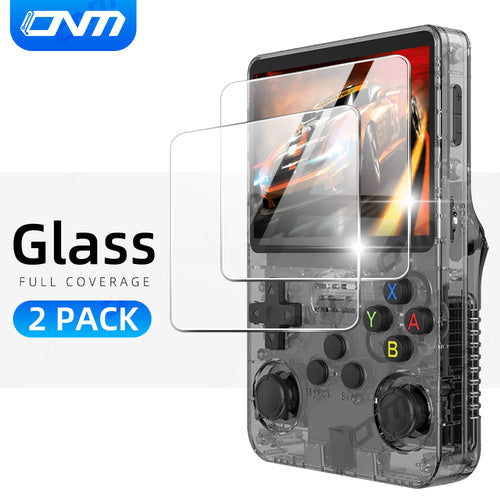
The R36S is a 3.5-inch retro handheld built on a Rockchip RK3326 quad-core chip with 1GB RAM and a 640×480 IPS screen. It runs open-source Linux firmware and emulates classic systems such as NES, SNES, Game Boy, Game Boy Advance, Mega Drive and PS1. It has a D-pad, four face buttons, four shoulder buttons and two analogue sticks.
Does the R36S come with games?
Does the R36S come with games?
No. R36S AU sells the hardware only and does not provide, license or authorise third-party games. You load files you have the right to use — your own backups, homebrew and public-domain software — onto the microSD card. Free open-source ports are available through the PortMaster project.
What screen size and resolution does the R36S have?
What screen size and resolution does the R36S have?
A 3.5-inch IPS display at 640×480 in a 4:3 ratio, the same shape most classic consoles were designed for.
How long does the battery last?
How long does the battery last?
The 3,200mAh battery gives about 5–7 hours of continuous play on a full charge and charges over USB-C. 8-bit and 16-bit systems sit at the longer end; PS1 emulation draws more power.
Does the R36S support TV output?
Does the R36S support TV output?
Some configurations support video output through a compatible USB-C adapter, but it depends on your firmware and the adapter, so we can't promise it for every setup. Contact us before you buy if TV output matters to you.
Which systems does the R36S emulate well?
Which systems does the R36S emulate well?
Reliably: NES, SNES, Master System, Mega Drive, Game Boy, Game Boy Color, Game Boy Advance, Game Gear, most CPS1/CPS2 arcade titles and PS1. N64, Dreamcast, Saturn and PSP are hit-or-miss on this chipset.
How do I add my own files?
How do I add my own files?
The R36S has two microSD slots: one holds the system, the other your own files. Copy files you have the right to use onto the card from a computer; our firmware guide shows the folder layout.
Does the R36S have Wi-Fi or Bluetooth?
Does the R36S have Wi-Fi or Bluetooth?
No. The R36S has no built-in Wi-Fi or Bluetooth, so multiplayer depends on the firmware you run and on adding wireless yourself — our USB-C Wi-Fi adapter does that for firmware that supports local play. The R36S Plus has Wi-Fi built in.
What should I know about compatibility?
What should I know about compatibility?
Results depend on the system and the emulator core. Older systems run at full speed; heavier systems vary from title to title. A firmware update often improves things.
Does the R36S come with a warranty?
Does the R36S come with a warranty?
Every order is covered by our 30-day money-back guarantee — 30 days from delivery to return it for any reason — and by your rights under the Australian Consumer Law, which cannot be excluded. If an item arrives faulty, is damaged in transit or is not what you ordered, send us your order number and we replace or refund it, with return postage at our cost.
How long does delivery take to Australia?
How long does delivery take to Australia?
Shipping is free. Orders leave within 1–2 business days and usually arrive 8–15 days after ordering, based on our own tracked delivery records. Regional areas and peak periods can take longer. Every order ships with tracking, and Australian GST is included in the price.
What is the return policy?
What is the return policy?
You have 30 days from delivery to request a return for any reason. Email us with your order number first; for change-of-mind returns the postage is yours, and for faulty, damaged or incorrect items we cover it. Full details are in our refund policy.
Where can I find firmware updates?
Where can I find firmware updates?
Our R36S firmware guide covers ArkOS and the other open-source firmware step by step. Back up your microSD card before you update.
What should I do if my console isn't working properly?
What should I do if my console isn't working properly?
Most start-up problems come from the microSD card, so try re-seating it or re-flashing the system card with our firmware guide. If it still isn't right, contact us with your order number and a short video; a faulty unit is replaced or refunded.
Still have questions?
Still have questions?
Reach us through our contact page and include your order number if you have one.