


Data Frog R36S Ergonomic Grip Handle
Data Frog R36S Ergonomic Grip Handle


Couldn't load pickup availability

Data Frog R36S Ergonomic Grip Handle
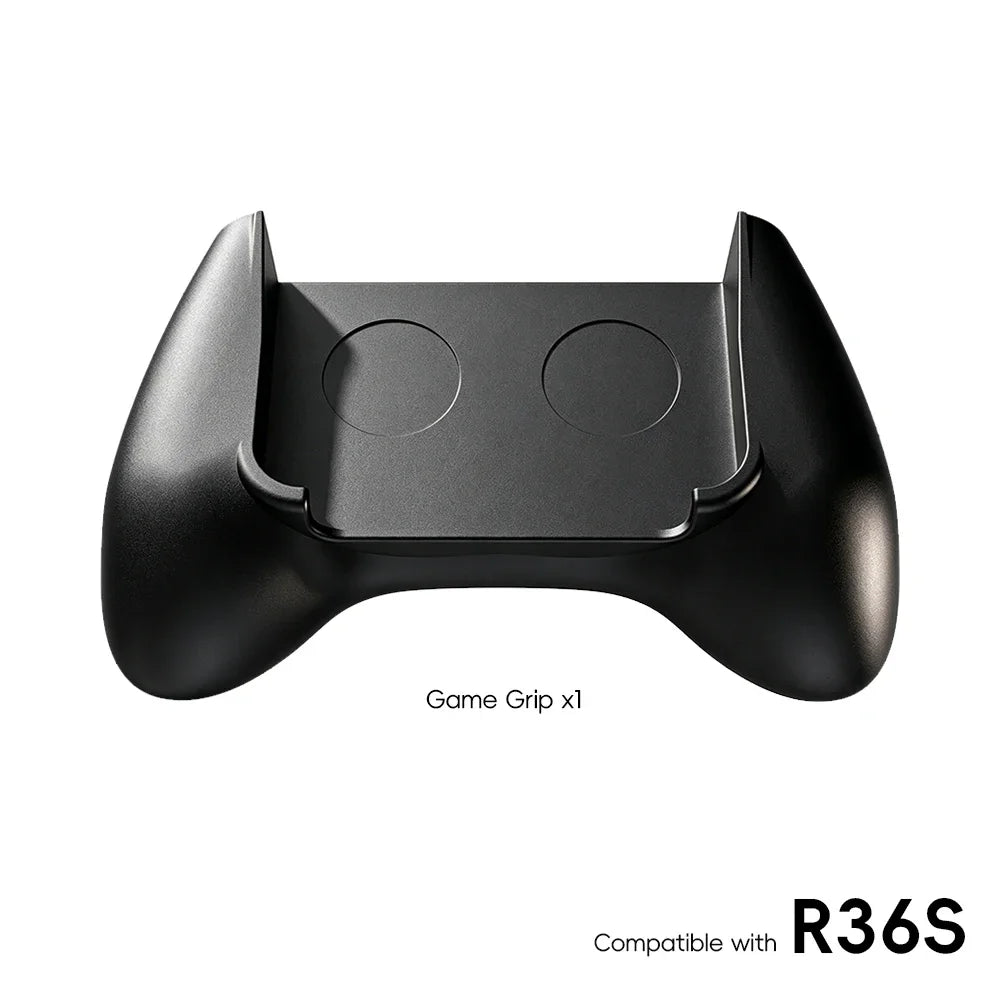
Made by Data Frog — the R36S's own manufacturer — this snap-on R36S ergonomic grip turns the flat handheld into something that holds like a proper controller. If your hands cramp during longer PS1 or GBA sessions, this is the single most comfortable upgrade you can make, and it costs less than a takeaway dinner.

What an R36S ergonomic grip actually changes
The R36S is brilliantly pocketable, but flat slabs make your ring and little fingers do all the holding while your thumbs do all the work — that's exactly the posture that turns into cramp at the 40-minute mark. An R36S ergonomic grip adds the curved bulk your fingers want to wrap around, spreading the console's weight across your whole hand the way a modern controller does. The result isn't subtle: sessions simply stop having a comfort time-limit.
Key Features
- Precision-moulded by Data Frog for the R36S — snaps on securely, no tools, no wobble
- Curved controller-style grip supports your ring and little fingers
- Lightweight — adds comfort without adding real bulk to your bag
- Removes in seconds when you want the console pocket-sized again
- Two styles available — see the photos for the shape difference
Why the manufacturer's own grip matters
Generic grips are moulded for "a small handheld"; this one is moulded for the R36S specifically, by the company that makes the console. The snap points land exactly where the shell expects pressure, so there's no flex, no creak and no worn corners — problems that cheap universal grips develop within weeks. The community-maintained R36S wiki lists official accessories if you want to verify the pedigree.
Build the comfortable setup
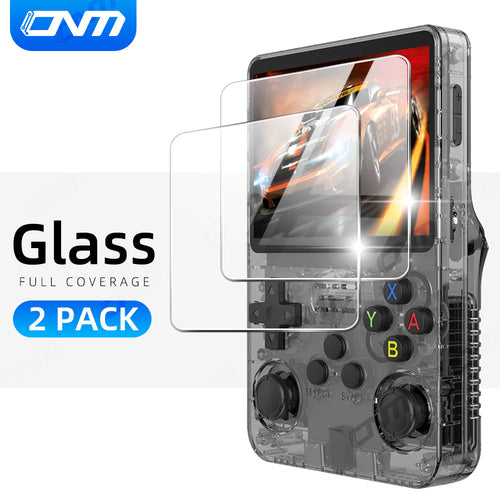
Pair the grip with an R36S silicone case for protection that doesn't fight the grip's snap fit, and a tempered glass screen protector so the screen survives the bag trips between sessions. New to the console entirely? Start with the R36S handheld itself — still the best-value way into retro gaming we stock.
What's in the Box
- 1 × Data Frog R36S ergonomic grip in your chosen style
Console shown in photos is sold separately.
✅ Free worldwide shipping · ✅ 30-day money-back guarantee
Travel and storage
The grip's snap-on design is genuinely tool-free in both directions — most owners leave it off for transit and click it on when they sit down to play, a five-second ritual. If you carry the console daily, the grip weighs little enough to live in the same pocket of your bag. Combined with a case and protector, the whole comfort-and-protection kit still costs less than a single new game did in the nineties.
R36S ergonomic grip — quick questions
Does the grip fit over the silicone case?
The grip snaps onto the bare console most securely. With our R36S-specific silicone case the snap
points still land correctly; universal cases may interfere.
What's the difference between the two styles?
Shape of the curve — see the photos side by side. Style 1 is slimmer for smaller hands; Style 2
fills the palm more for larger hands.
Will it mark or scratch the console?
No — the contact points are smooth-moulded and designed by Data Frog for the R36S shell.
Does the console still fit the carry case with the grip on?
Pop the grip off first — it removes in seconds — and both fit our hard shell case together.
Does it work for left-handed players?
Yes — the curve is symmetrical, so both hands get the same support regardless of which thumb does
the steering.
Can kids use it?
Comfortably — the added curve actually suits smaller hands better than the bare flat console, and
there's nothing to pinch or trap fingers. Many parents fit the grip precisely to make hand-me-down
sessions easier on young players.
Buy with confidence
Checked hardware, clear setup help, and support after checkout.
Estimated tracked AU delivery between - and -.
If something is wrong on arrival
If something is wrong on arrival
These handhelds ship direct from our supplier, so we cannot inspect every unit first. What we can do is make it right: check visible condition, controls, ports, screen fit, storage and accessories when it arrives, and tell us within 30 days if anything is off — we replace or refund, return postage at our cost. For consoles, use legally owned game files and back up your storage card before firmware changes.
Software, Storage and Lawful Use
Software, Storage and Lawful Use
Compatible Software and Storage
The R36S is sold as handheld gaming hardware. It is intended for compatible open-source software, homebrew software, public-domain files, personal media, and other content that you have the right to use.
Expandable Storage
- Supported storage cards can be used for compatible lawful files and personal content.
- Always make sure you have the right to use any software or media you add.
How long is the battery life?
How long is the battery life?
Enjoy up to 6 hours of continuous gaming with the R36S’s 3200mAh rechargeable battery.
Can I expand storage?
Can I expand storage?
Supported TF cards can be used for compatible lawful files, personal media, public-domain software, and homebrew software.
What screen does the R36S have?
What screen does the R36S have?
The console features a 3.5-inch IPS display with a 640x480 resolution for clear and vibrant visuals.
Is multiplayer available on the R36S?
Is multiplayer available on the R36S?
The R36S has no built-in Wi-Fi or Bluetooth, so multiplayer depends on the firmware you run and on adding wireless yourself — our USB-C Wi-Fi adapter kit does that for firmware that supports local play. Support varies by system being emulated. Ask us before you buy if multiplayer is the reason you are buying.
Does the R36S support TV output?
Does the R36S support TV output?
Some configurations support video output through a compatible USB-C adapter, but it depends on your firmware and the adapter, and it is not something we can promise for every setup. Contact us before purchase if TV output matters to you.
What software can I use?
What software can I use?
The R36S is Linux-based handheld hardware intended for compatible open-source software, homebrew software, public-domain files, personal media, and other lawful content.
Does the R36S come with a warranty?
Does the R36S come with a warranty?
Every order is covered by our 30-day money-back guarantee — 30 days from delivery to return it for any reason — and by your rights under the Australian Consumer Law, which cannot be excluded. If an item arrives faulty, is damaged in transit or is not what you ordered, send us your order number and we replace or refund it, with return postage at our cost.
Why Choose the R36S Handheld Console?
Why Choose the R36S Handheld Console?
Practical For New and Experienced Users
- New users can appreciate the simple handheld layout and familiar controls.
- Experienced users can explore supported open-source configuration options where available.
Portable Hardware
- The R36S handheld is designed for travel, commuting, and extended sessions at home.
- Accessory and video-output support can vary by configuration, so check the product details before purchase.
Everyday Value
- The R36S focuses on a compact screen, tactile controls, USB-C charging, and flexible storage support at an accessible price.